
Advanced Allocations
Cost allocation without spreadsheets
Advanced Allocations allocates amounts that were posted once in the general ledger to several G/L accounts and dimensions.

- Pricing
- €19 per company / month
- Business Central
- 29+
- Version
- 0.1.0.36
- Training chapters
- 4 chapters
The challenge
Rent, energy and shared costs are split over departments by hand every month.
The answer
Advanced Allocations allocates amounts that were posted once in the general ledger to several G/L accounts and dimensions. It uses what Business Central already has - posted G/L entries, statistical entries such as headcount or square metres, or a predefined template - and creates the allocation lines in a general journal for you.
What it does
What Advanced Allocations does in Business Central
- 01
Allocation worksheet
Run monthly or ad-hoc allocations from actual posted entries.
- 02
Quick Keys
Distribute one amount across departments when you post a purchase invoice.
- 03
Statistical entries
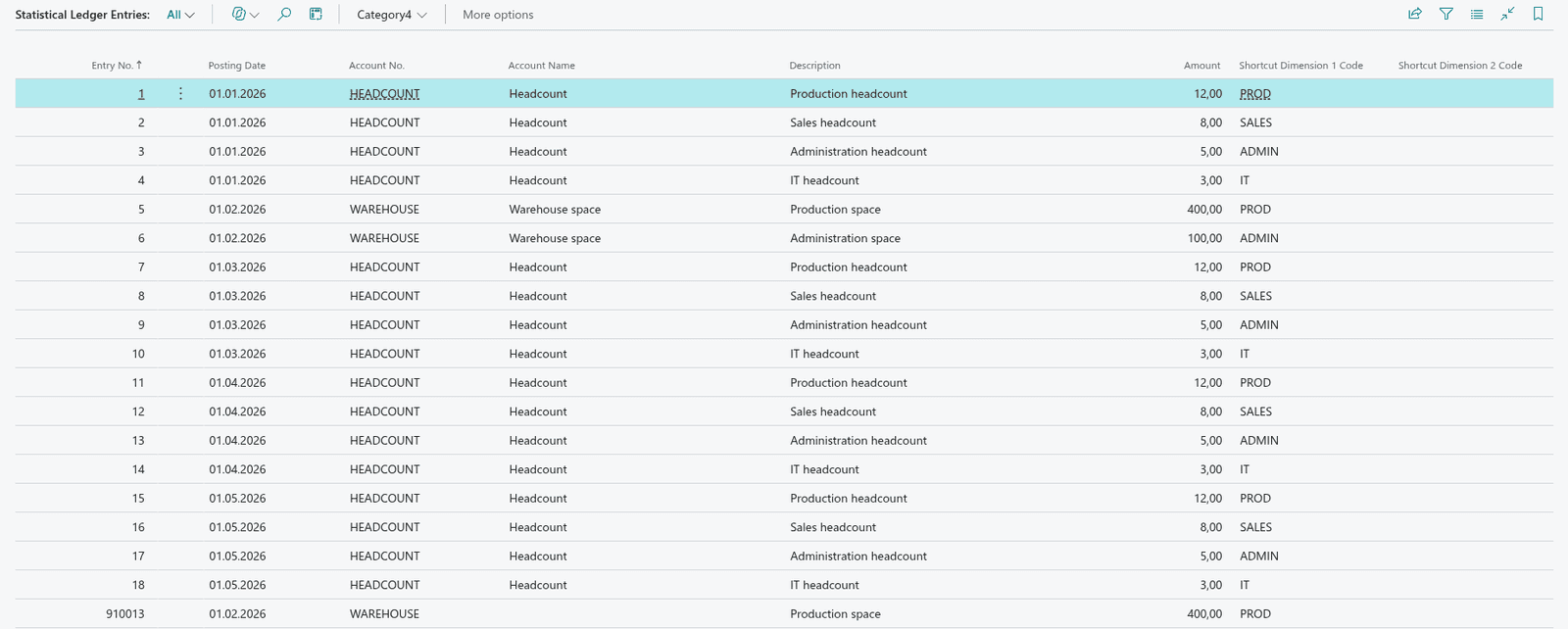
Uses the statistical accounts of Business Central (headcount, square metres) as allocation keys.
- 04
Typical uses
Payroll costs split by department, rent by headcount or area, IT costs by department.
Screens
How it looks in Business Central
Videos
Advanced Allocations in action
- 0QUALIA Advanced Allocations for consultants · Learn: Advanced Allocations
- 1The allocation worksheet
- 2Quick Keys: distribute one amount on purchase lines and journals
- 3Statistical entries and their ledger
Questions about Advanced Allocations
Does Advanced Allocations run inside Business Central?
Yes. Advanced Allocations is an extension for Microsoft Dynamics 365 Business Central. Your team works on Business Central pages.
Which Business Central version is needed?
Business Central 29 or later.
What does Advanced Allocations cost?
€19 per company / month, 30-day free trial. Prices in EUR, net. Billed monthly, or yearly for the price of 10 months. 30 days free trial.
Is there a user guide?
Yes, a user guide with setup and daily work, step by step.
Are there training videos?
Yes, 4 chapters in the academy, with real Business Central screens.
Prices and conditions
How do you want to license?
Billing
Yearly: 2 months free (12 months for the price of 10).