
GDPR ToolBox
Know where personal data lives
The GDPR ToolBox documents which Business Central fields hold personal data, groups the tables per data subject and plans how long each record may be kept.
- Pricing
- €19 per company / month
- Business Central
- 29+
- Version
- 0.1.0.44
- Training chapters
- 8 chapters
The challenge
Personal data sits in many Business Central tables, and nobody knows how long each record may be kept.
The answer
The GDPR ToolBox documents which Business Central fields hold personal data, groups the tables per data subject and plans how long each record may be kept. When that time is over, the app proposes to delete the record or to make it anonymous.
What it does
What GDPR ToolBox does in Business Central
- 01
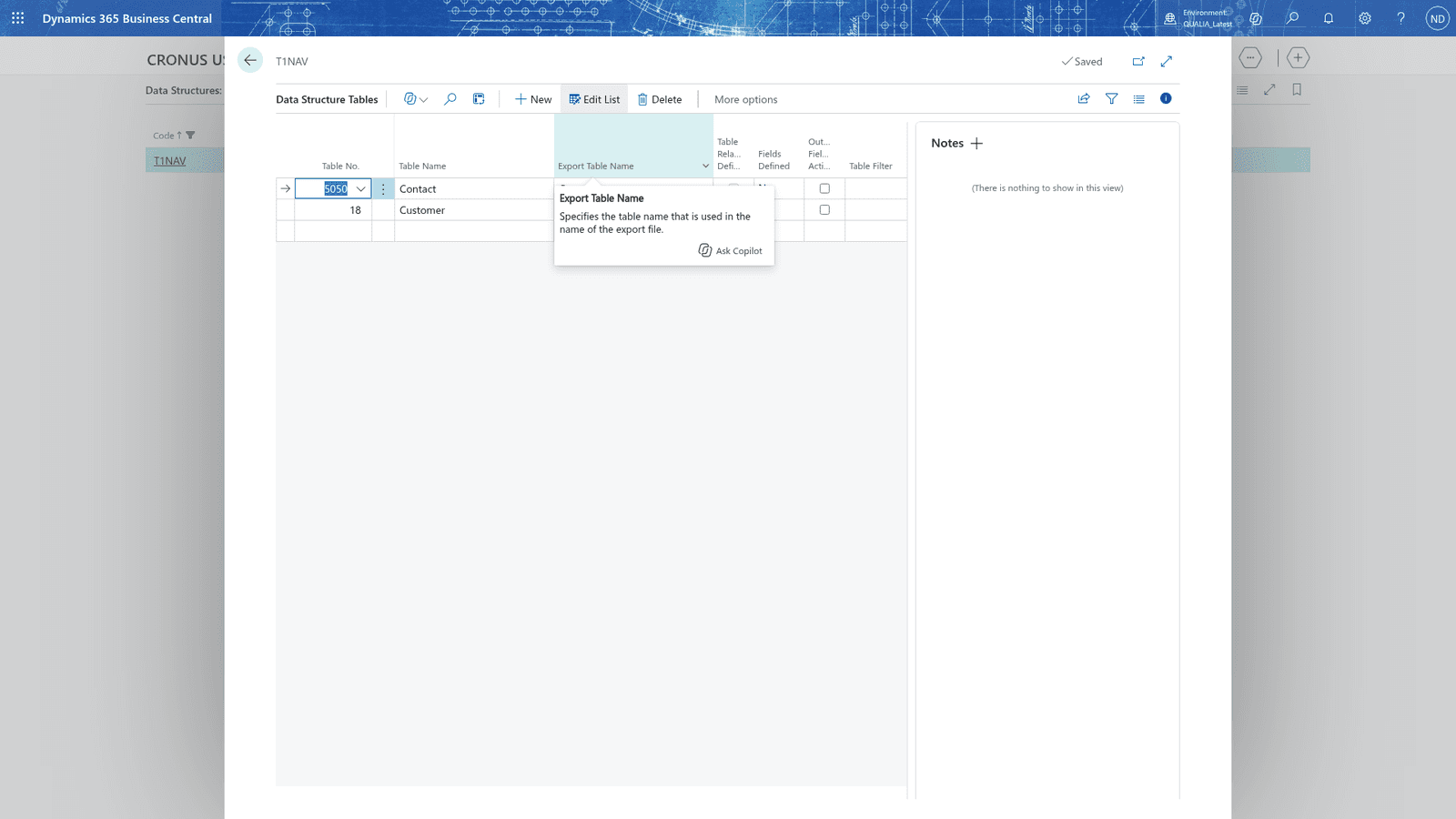
Data structures
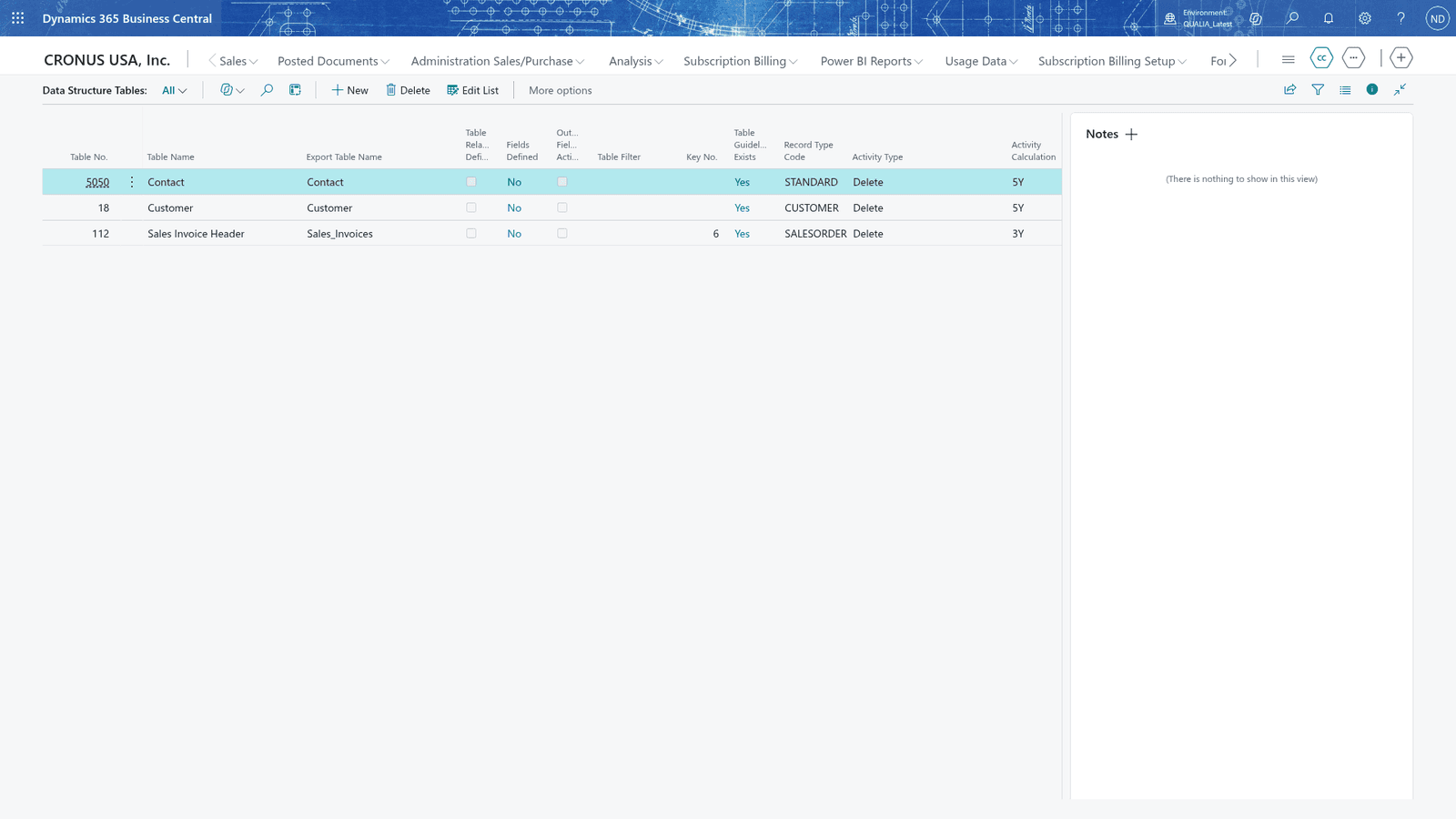
A tree of the tables that hold the personal data of one person, with their personal fields.
- 02
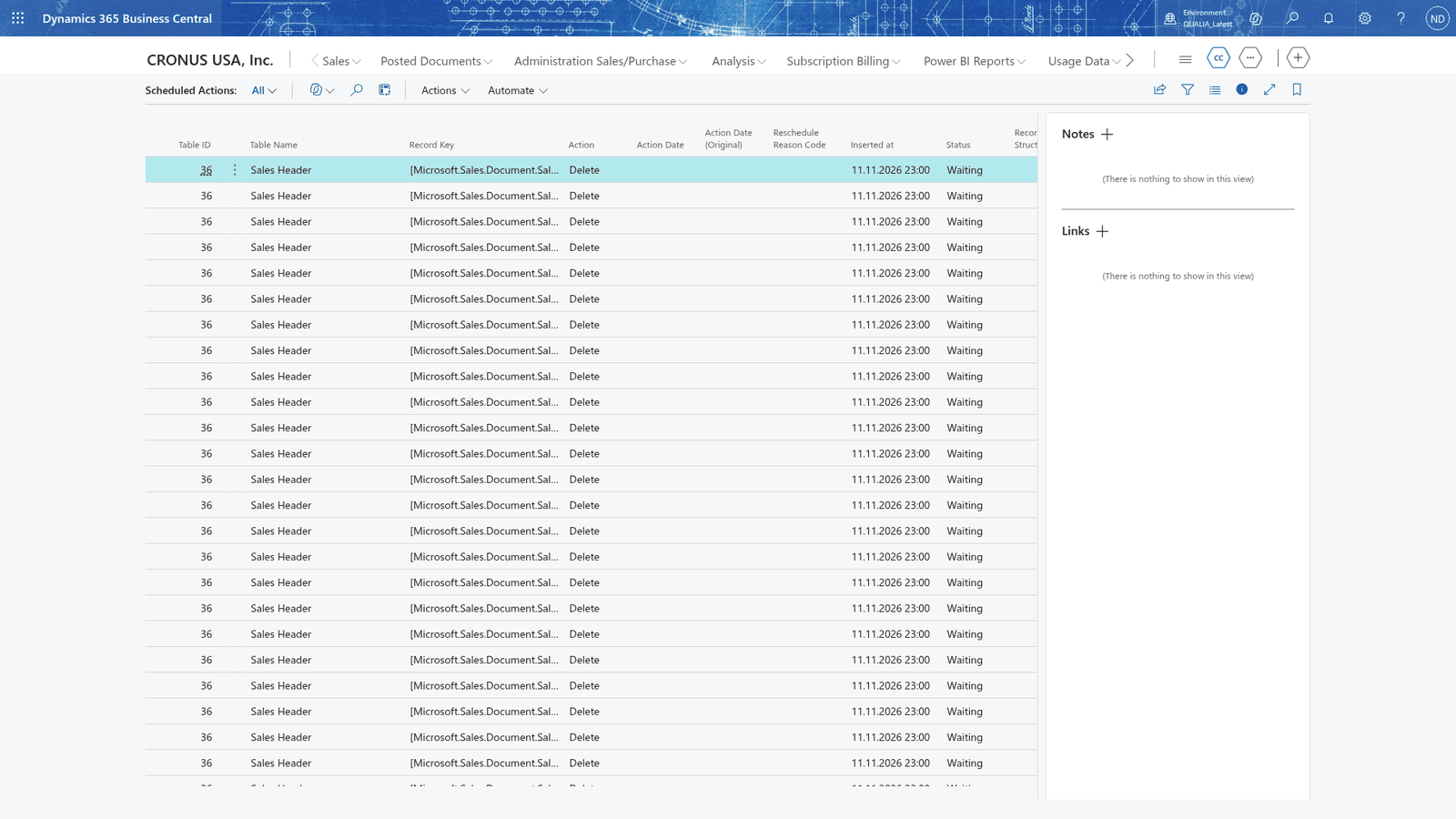
Scheduled actions
Retention per table and the date when a record is due.
- 03
Delete or anonymise
Action suggestions that delete or anonymise personal data on time.
- 04
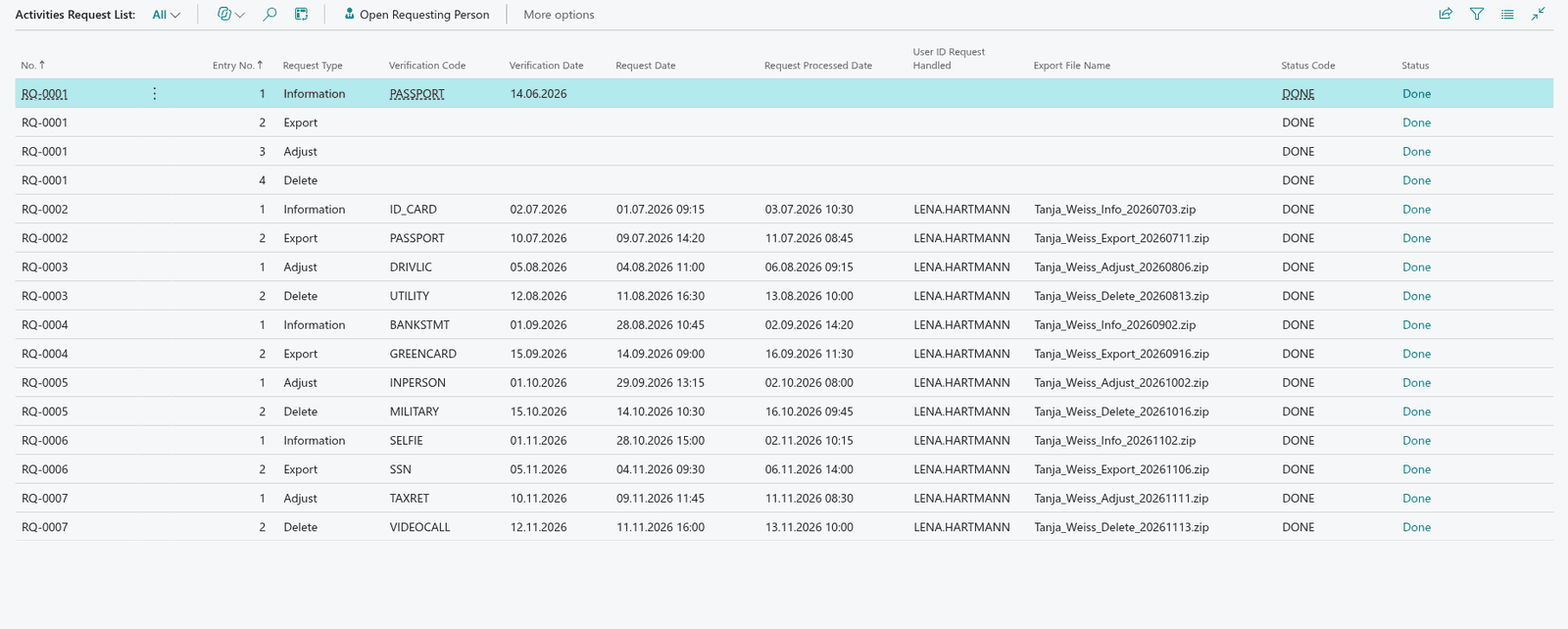
Data subject requests
Record requests, see which personal data Business Central holds about a person and export it.
- 05
Details and consents
GDPR details and consents on the records they belong to.
- 06
Permission overview
See who can read and change the personal data.
Screens
How it looks in Business Central
Videos
GDPR ToolBox in action
- 0QUALIA GDPR ToolBox for consultants · Learn: Data Protection (GDPR) ToolBox
- 1Where personal data lives: data structures and the master data behind the toolbox
- 2Scheduled actions and action suggestions: delete and anonymise on time
- 3Requests from data subjects and the personal-data overview
- 4GDPR details and consents on the contact and customer
- 5Who can read what: the user permission overview
Questions about GDPR ToolBox
Does GDPR ToolBox run inside Business Central?
Yes. GDPR ToolBox is an extension for Microsoft Dynamics 365 Business Central. Your team works on Business Central pages.
Which Business Central version is needed?
Business Central 29 or later.
What does GDPR ToolBox cost?
€19 per company / month, 30-day free trial. Prices in EUR, net. Billed monthly, or yearly for the price of 10 months. 30 days free trial.
Is there a user guide?
Yes, a user guide with setup and daily work, step by step.
Are there training videos?
Yes, 8 chapters in the academy, with real Business Central screens.
Prices and conditions
How do you want to license?
Billing
Yearly: 2 months free (12 months for the price of 10).