
The screen
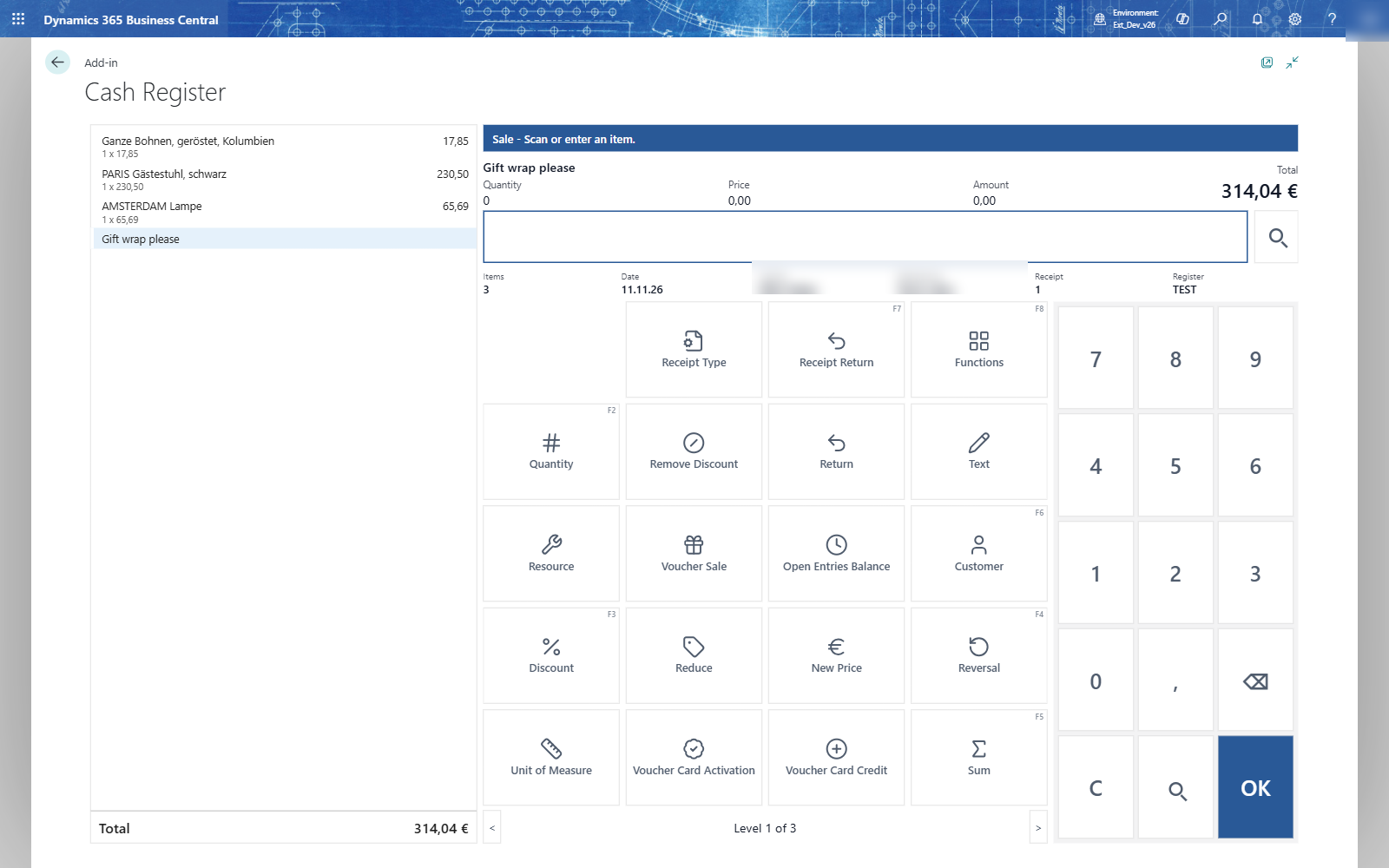
| Area | What it shows |
|---|---|
| Receipt panel (left) | The lines of the open receipt, discounts under their line, payments at the end, and the total. Tap a line to select it. |
| Status line (blue) | Where you are and what the till expects: Sale - Scan or enter an item. Read it when you are not sure. |
| Selected line | Description, quantity, price and amount of the selected line, and the receipt total. |
| Input line | What you type or scan. Digits typed anywhere on the page go here. The magnifier next to it opens a list to choose from. |
| Info row | Items, date, cashier, salesperson, receipt number, register, and the customer when there is one. |
| Keys | The functions of the current step. Small hints in the corner show the keyboard shortcut (F2, F5...). |
| Number pad | Digits, comma, backspace, C and OK. |
Tip: C clears what you typed. On an empty input, C goes one step back, the same as Esc.