
Sell
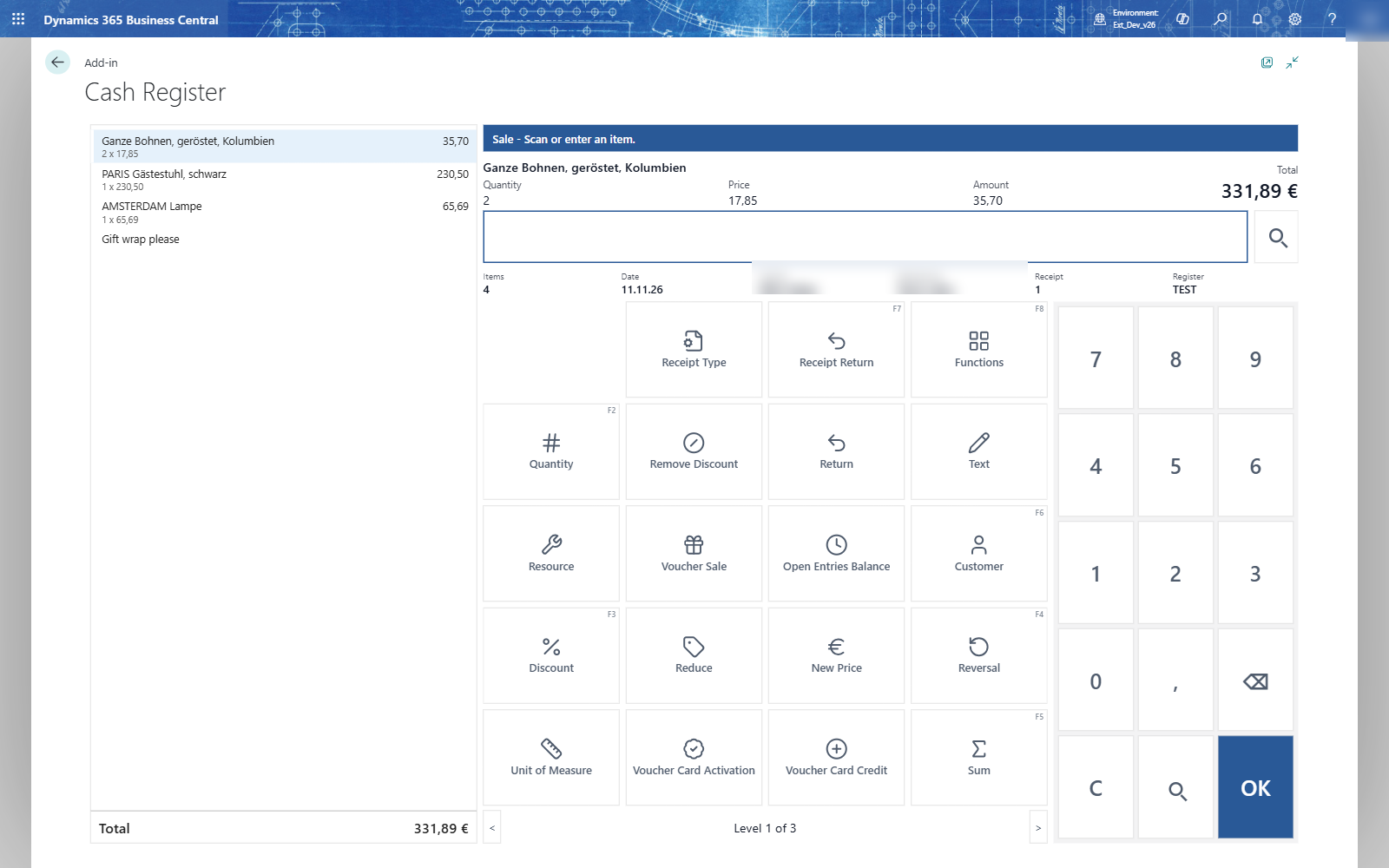
- Choose Sale. The till asks for the salesperson: type the code (TL) or choose it with the magnifier.
- Scan the barcode or type the item number and press OK. The line appears with its price.
- Repeat for every item. The total updates with every line.
| To | Do |
|---|---|
| sell the same item again | scan it again; each scan is a line |
| change the quantity of a line | select the line, choose Quantity (F2), type the quantity, OK. Or type the quantity first and press F2. |
| find an item without barcode | choose the magnifier, pick the item in the list, OK |
| add a text to the receipt | choose Text, type it (Gift wrap please), OK |
| sell in another unit | select the line, choose Unit of Measure, type the unit or choose it with the magnifier |
| sell a service | choose Resource, choose it with a key or type its number |
| take a line out | select it, choose Reversal (F4). The line is struck through and leaves the total. |
Note: A wrong barcode gives The item 99999999 does not exist. Enter another item number or barcode. No line is added; scan again.
Tip: A double tap on OK adds the item only once.