Returns
Return an item
- Choose Return and scan or type the item. The line comes with a minus: -1 x 17,85.
- Choose Sum, Payment and a tender that allows refunds, for example Cash, and OK.
- Choose Receipt End.
A card can't pay out a refund: Card cannot pay out a refund. Choose a tender that allows refunds (for example cash).
Return from a receipt
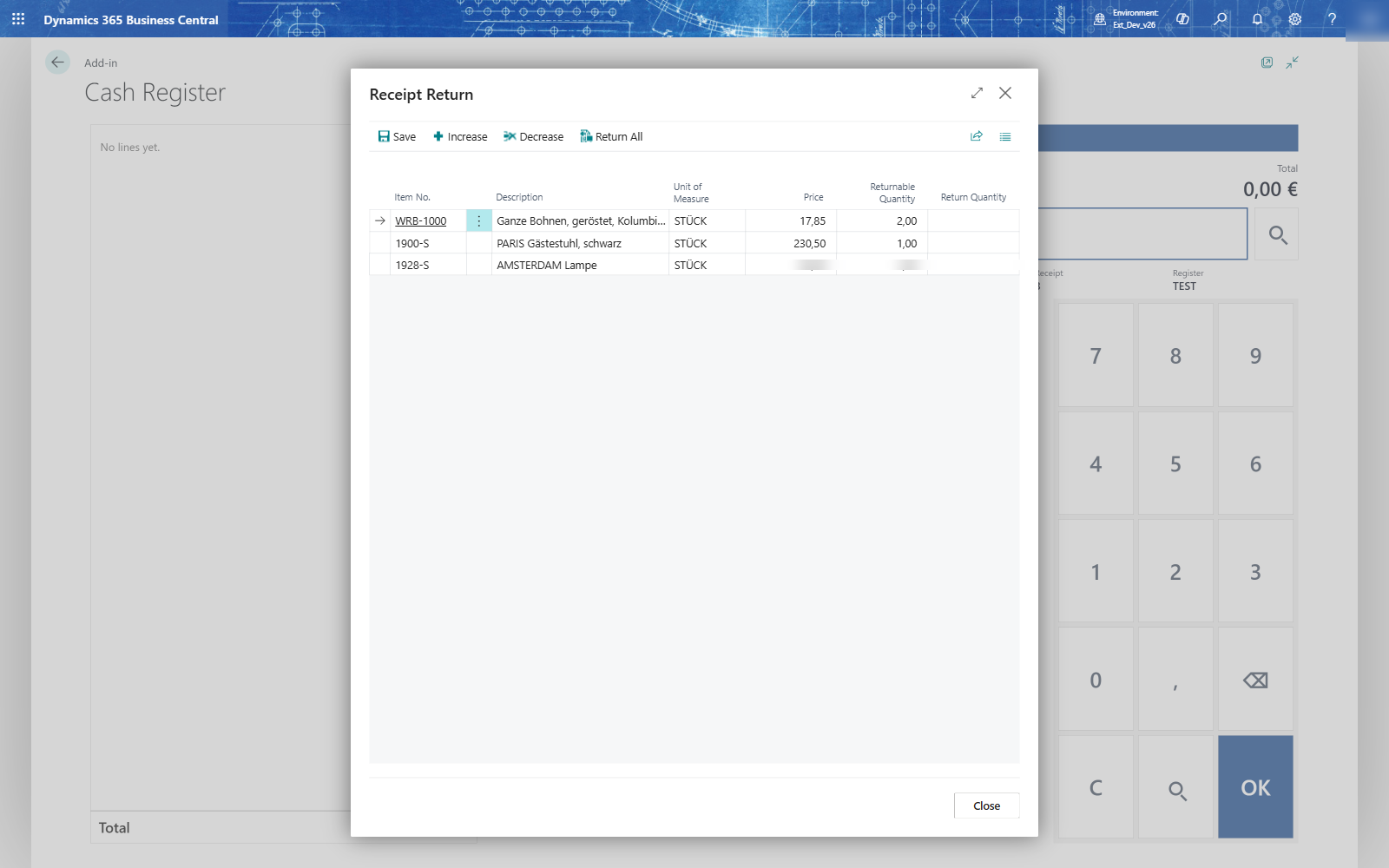
- Choose Receipt Return (F7) and type the receipt number, or choose it with the magnifier. When the number exists on more than one day, the till lists the receipts: choose the one with the right date and OK.
- The Receipt Return page lists the lines that can still be returned. Choose Return All, or set the quantity per line with Increase and Decrease, and choose Save.
- The returned lines come onto the receipt with a minus. Pay them out as above.