
Give a discount
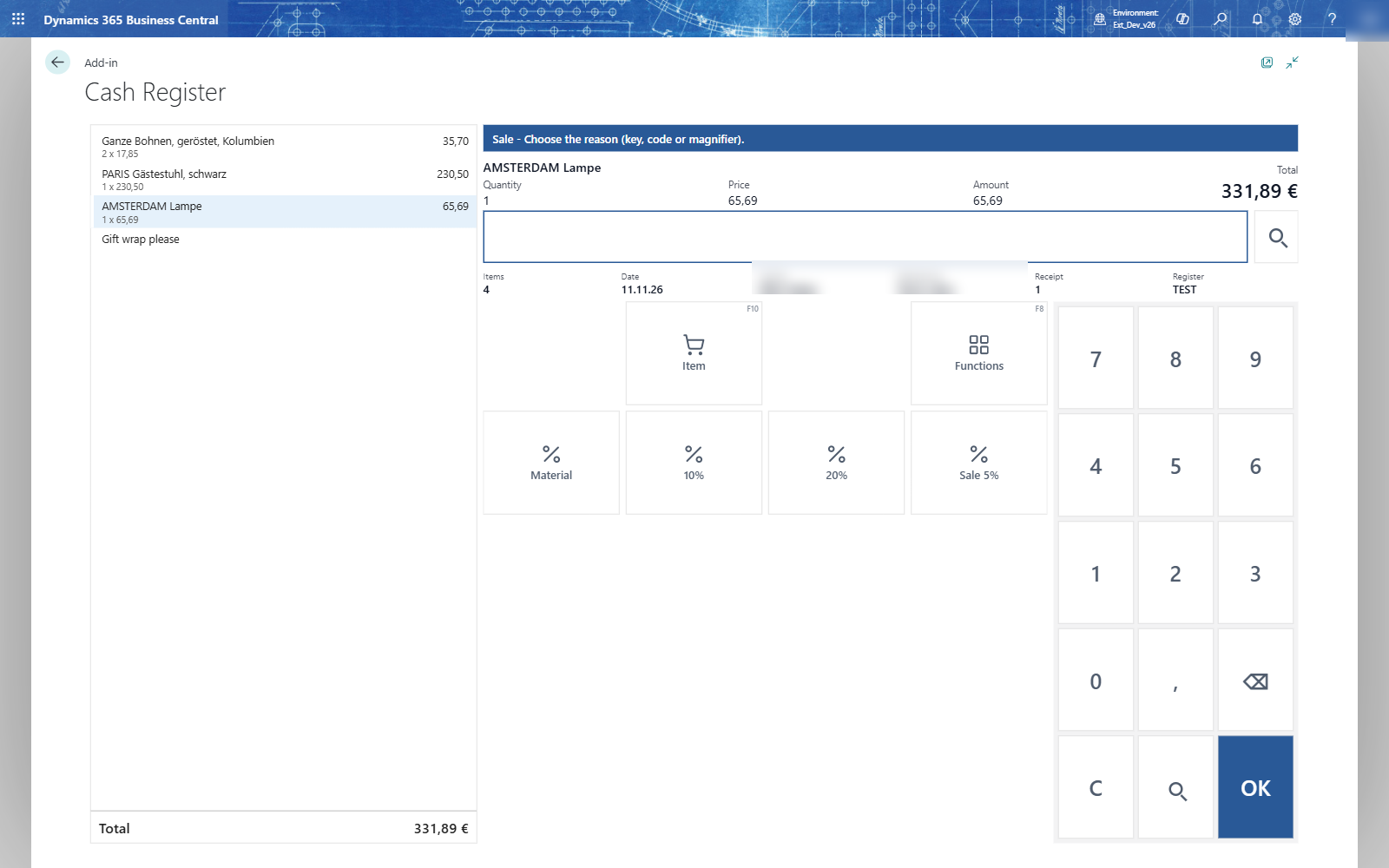
Every discount needs a reason. The reasons the register may use appear as keys; you can also type the code or choose it with the magnifier.
A discount on a line
- Select the line.
- Choose Discount (F3). The status line says Choose the reason (key, code or magnifier).
- Choose the reason, for example 10%. A reason with a value gives its discount at once: 10 % of 65,69 is 6,57.
Reduce a line by an amount
- Select the line and choose Reduce.
- Type the amount to take off, for example 2, and press OK. 17,85 becomes 15,85.
A percent discount you give afterwards is calculated on what the line still costs: 10 % of 15,85 is 1,59.
Set a new price
Choose New Price, choose the reason and type the new amount of the line. Registers that don't allow price changes refuse it with a message.
A discount on the whole receipt
- Choose Sum to go to the total.
- Choose Discount and the reason, for example 11 (5 %). The total goes down at once: 17,85 becomes 16,96.
The receipt discount is spread over the lines, so every report and the posting see it on the items.
Note: Remove Discount takes the discounts of the selected line off again, if the register allows it. A register that doesn't says Removing a discount is not allowed on cash register TEST.