
Write an e-mail template with live data and a PDF
Maria Lopez wants every customer to get a proper order confirmation: a real e-mail with a salutation, the order number and date, the confirmation as a PDF, and the company's details in the footer.
Create the template
- Search for Advanced Emails and choose New.
- Fill in:
- Code: ORDER-CONF
- Description: Order confirmation to the customer
- To: the recipient. In production
[36:172]- the order's Sell-to E-Mail - addresses the customer; in a test, use an address you control. - Subject: Your order [36:3] is confirmed
- Write the Email Body like any e-mail: salutation, content, sign-off and footer (example below).
- Trigger Page Id: 9305 (Sales Order List) - the list Send Email opens to pick an order (see the next chapter).
The body of ORDER-CONF in the story:
Dear [36:79],

thank you for your order [36:3] of [36:99]. We have received it and are preparing it for delivery.

Please find the order confirmation attached as a PDF. Check the items, quantities and the delivery
address; if anything should change, reply to this e-mail and quote your order number [36:3].

Kind regards
Your CRONUS order desk

CRONUS International Ltd. - Order Desk
7122 South Ashford Street, Atlanta, GA 31772
Phone +1 425 555 0100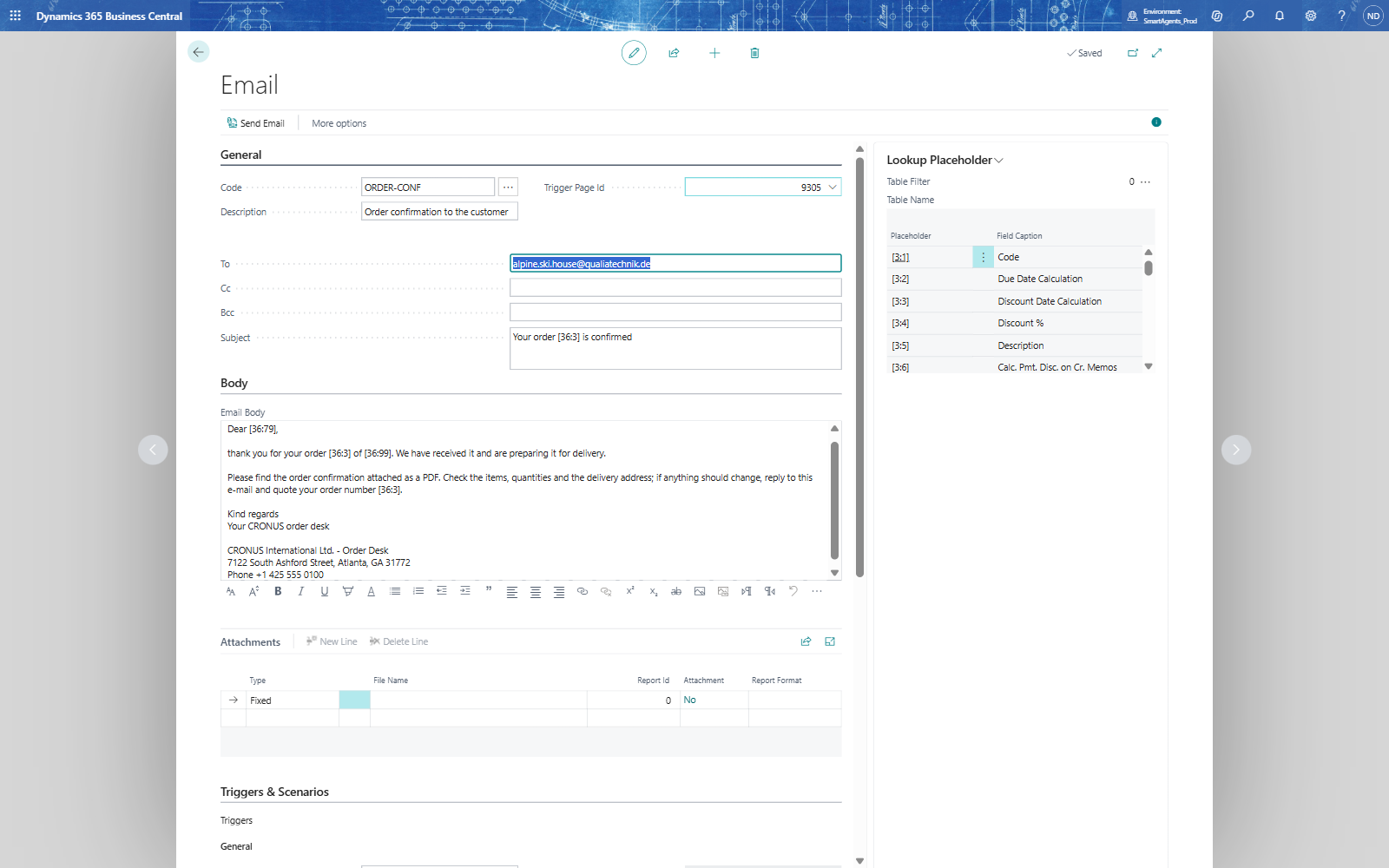
Attach the order confirmation as a PDF
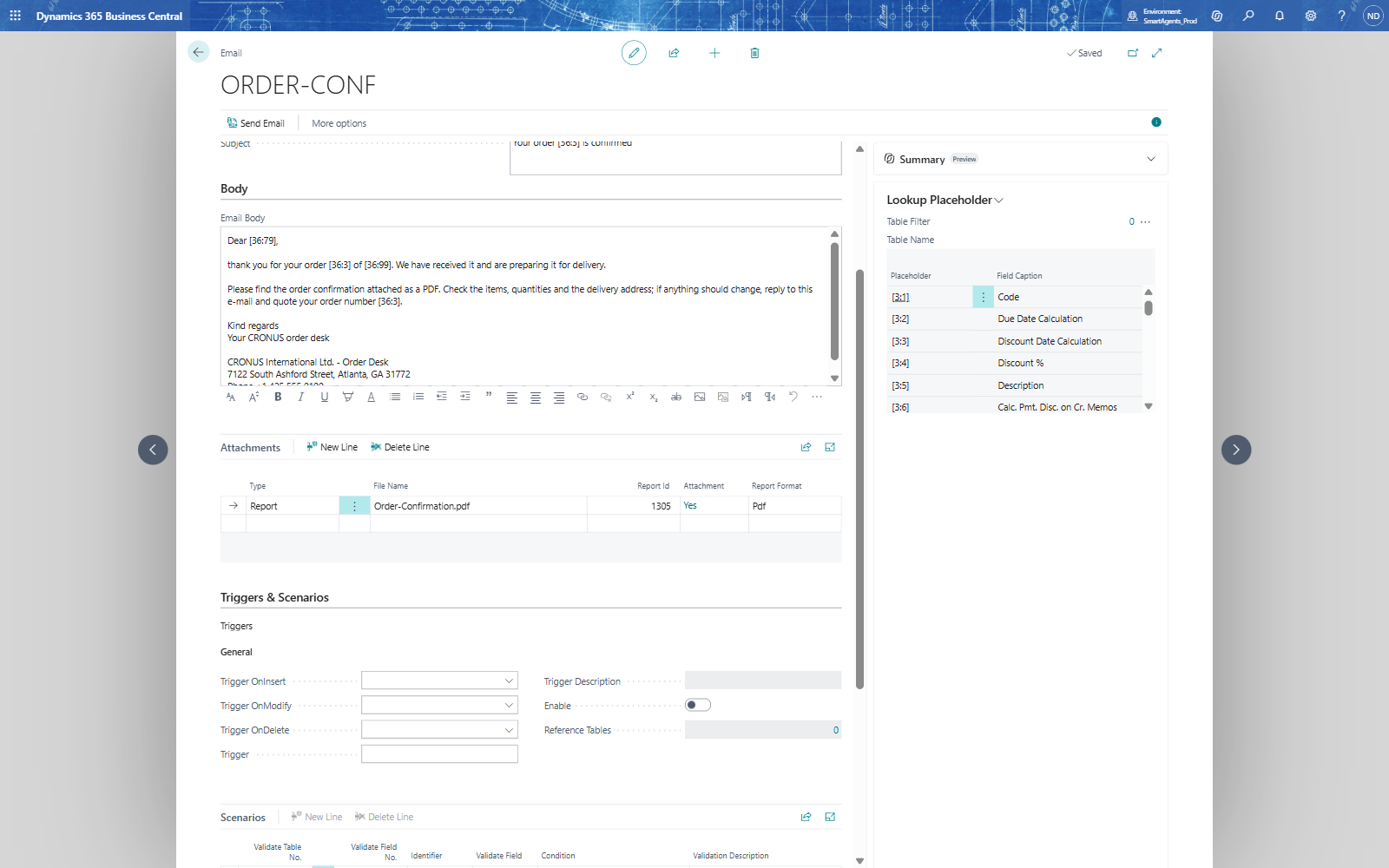
- In Attachments, on the first line: Type Report, Report Id 1305, File Name Order-Confirmation.pdf (a.pdf name sets Report Format to Pdf).
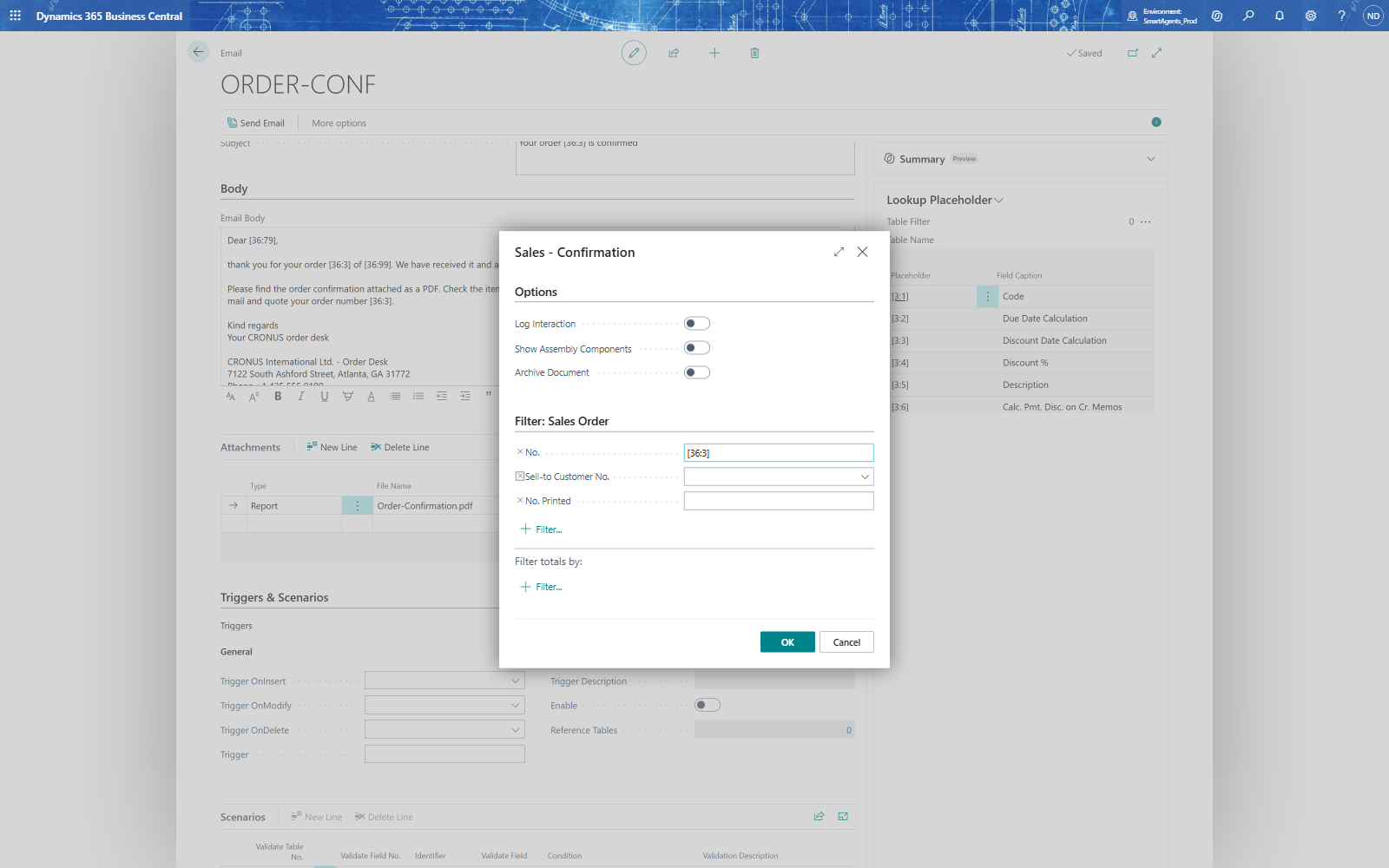
- Choose the value in Attachment (it shows No): the report's request page Sales - Confirmation opens.
- Under Filter: Sales Order, enter No. [36:3] - when the e-mail is sent, the placeholder becomes the order's number, so the PDF holds exactly this order. Turn off Log Interaction if you don't want an interaction logged for every e-mail.
- Choose OK. Attachment shows Yes: the request page's settings are stored with the template.
Note: Without the record filter on the request page the report gets no filter and the attachment fails; the Rule Log then shows "Attachment FAIL: Report 1305 SaveAs returned false" and the e-mail goes out without the PDF.
If something goes wrong
- The body text is missing: the text is saved when you leave the field - click elsewhere before you close the card.
- Placeholders appear as [36:3] in the e-mail: the template was sent for a record of another table; placeholders are filled from the record the e-mail is about.