
Track what was sent
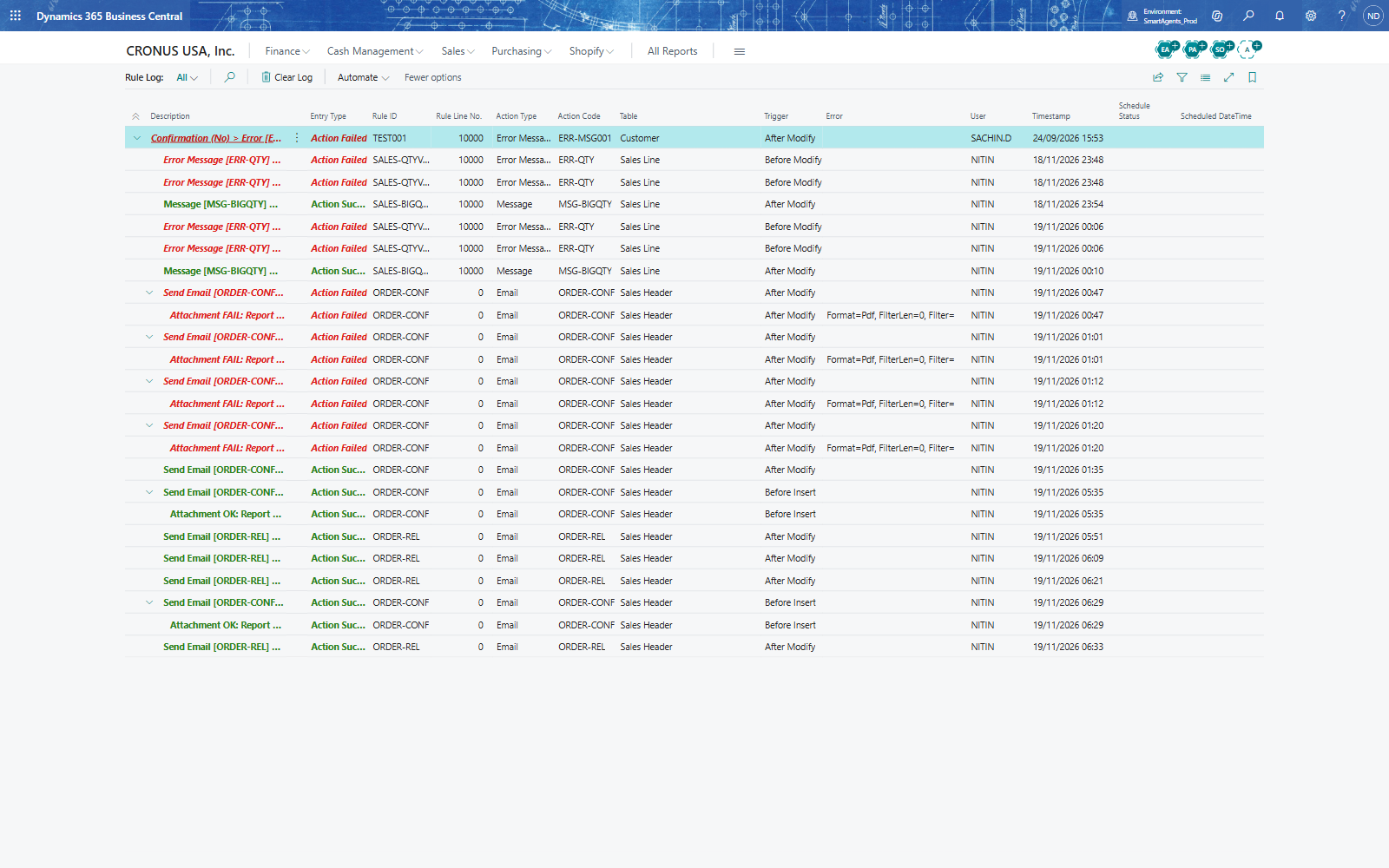
Maria Lopez checks which e-mails went out. With Log Level Actions Only on Business Rule Setup, every e-mail the templates send is written to the Rule Log.
The Rule Log
- Search for Rule Log.
- A line Send Email [ORDER-REL] shows the template, the table and trigger (Sales Header, After Modify), the user and the time. Entry Type Action Success means the e-mail was handed to the e-mail account; Action Failed lines name the problem - for example an attachment that could not be produced.
- Business Central's own Sent Emails page lists the e-mails sent through the e-mail account.
The ready-made templates
Create Default Data on Advanced Emails loads 64 templates - for example SAL-002 Notify the sales team when a Sales Order is released. They arrive switched off; open one, adjust the recipients and text, switch its rule set on and add it to a rule group, and it works like your own.
Note: With Log Level Off (the default) nothing is logged; set it on Business Rule Setup.