
Take a car out of use with the Active flag
The Active flag on a pool car decides whether the car can be booked. A car with Active turned off is left out of the free-car list on the Available Cars page and can't be booked any more. You can deactivate a car at any time, even when it already has future bookings: the app doesn't block or cancel those.
To deactivate a car:
- Search for Pool Cars and open it.
- Choose the car's registration number in the No. column to open its card.
- Clear Active.
- Close the card and choose Yes if you're asked whether to save the changes.
The Pool Cars list shows the car with the Active check box cleared. Employees can no longer book it, and it no longer appears as a free car in Available Cars.
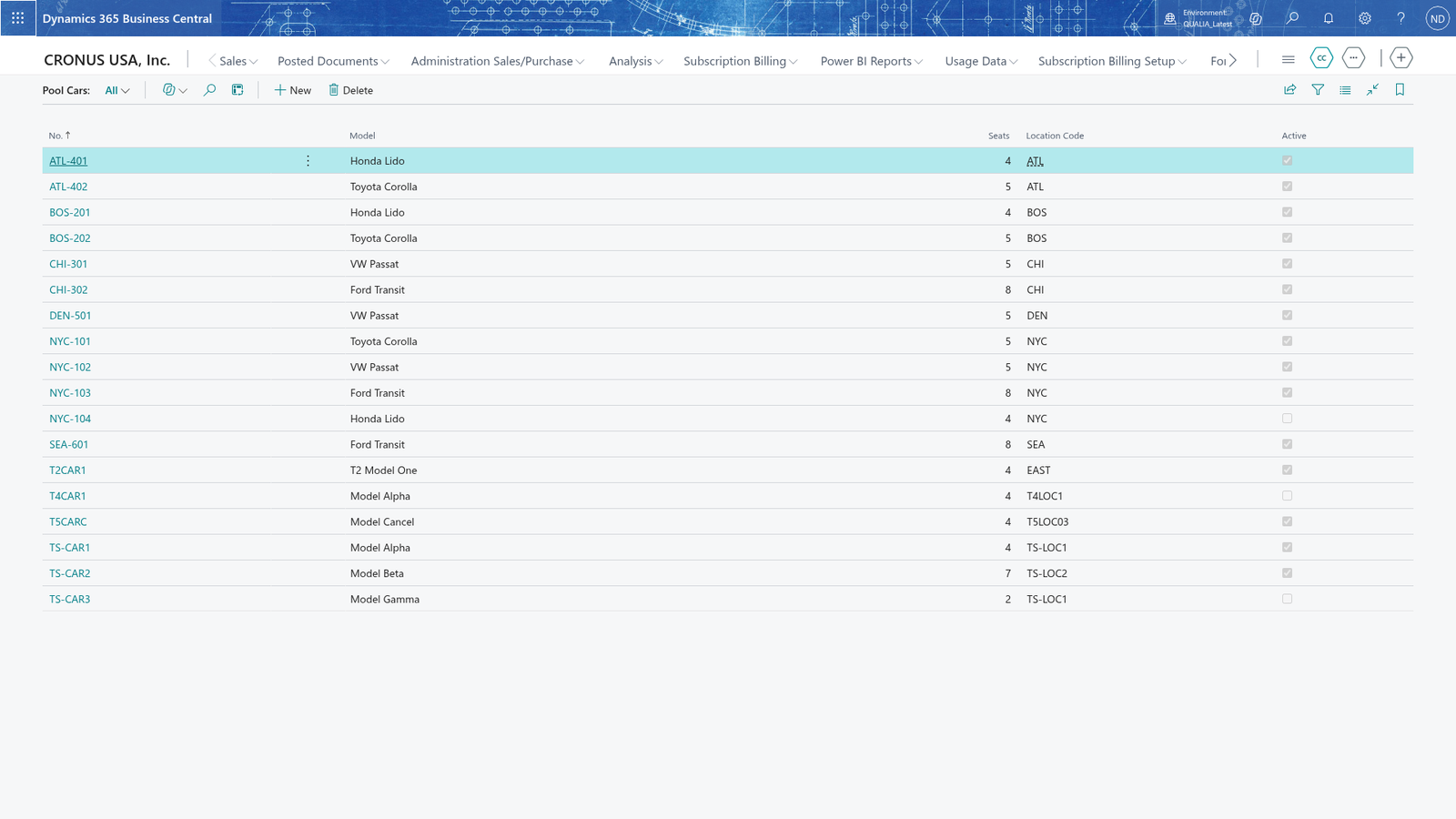
Note: You can deactivate a car while it still has future bookings. The app neither blocks nor cancels them: they stay as they are, and the office deals with them with the employees.
Note: Deactivating doesn't delete the car. Its registration number, model, seats and location stay on the card, so you can activate it again at any time.
Book an inactive car (refused with an error)
Only active cars can be booked. If you enter a car that is not active, the booking is refused with an error when you save it.
- Search for Bookings and open it.
- Add a new booking to open the Booking Card.
- In Pool Car No., enter the registration number of the car that is not active.
- In Employee No., enter or choose the employee who books the car.
- In From Date-Time, enter when the booking starts.
- In To Date-Time, enter when the car is returned.
- In Purpose, enter what the car is booked for, and leave the card to save the booking.
The booking is refused with the error "Pool car <registration number> is not active. Only active pool cars can be booked." The booking is not saved and doesn't show in Bookings. To correct it, pick a car that is active, or ask the office to turn Active back on for the car.
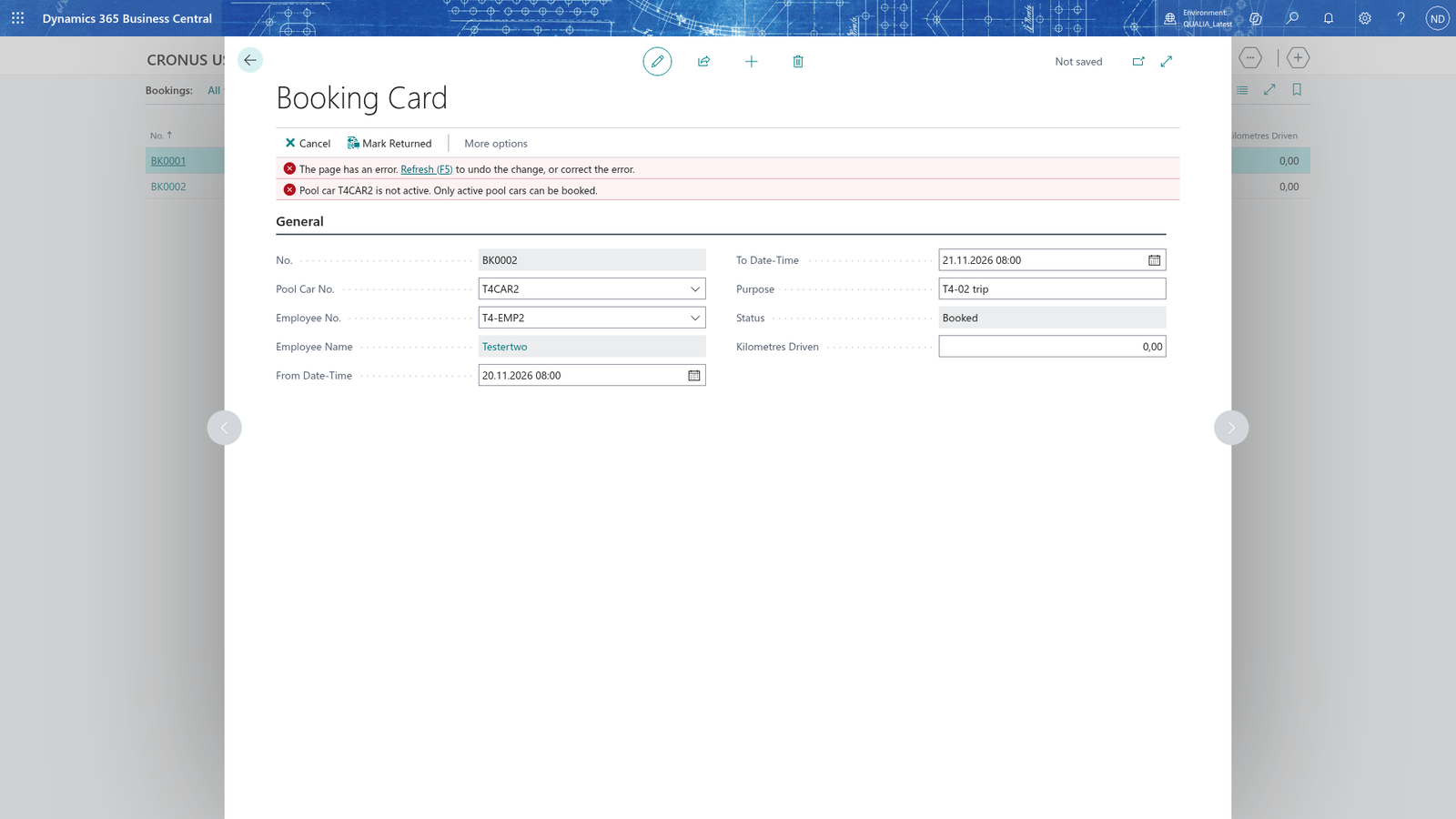
Note: Only new bookings are refused. Bookings made before the car was deactivated stay unchanged on the Bookings list.
Activate the car again
To put a car back in use, turn Active on again on its card, then book it as usual.
- Search for Pool Cars and open it.
- Choose the car's registration number in the No. column to open its card.
- Select Active.
- Close the card and choose Yes if you're asked whether to save the changes.
- Create a new booking for the car as you would for any other pool car, and leave the card to save it.
The booking is saved: it shows in Bookings with the Status Booked, and the car is free to book again.
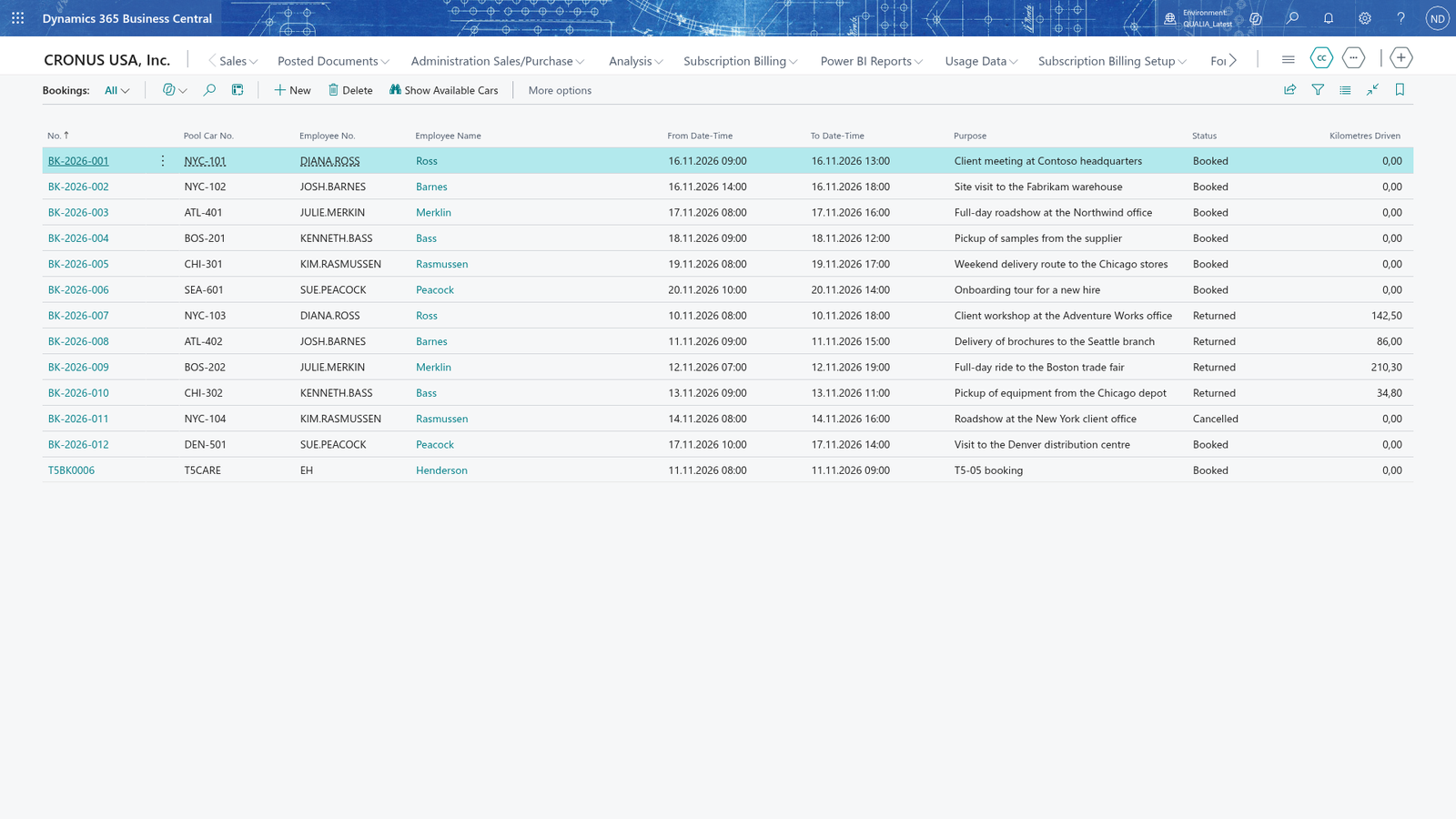
Note: An active car appears in the free-car list on the Available Cars page (choose Show Available Cars on the Bookings page) whenever it has no booking that is not cancelled in the range you entered.